Wild West Pioneers crashing? What is fixed and what to try
Crashes were the most reported problem on the Steam forum after launch, and two hotfixes followed within about a day. If the game still crashes after the first hotfix, the publisher’s first advice is to switch VSync off in the graphics settings. After that, send a report from the pause menu, and if the crashes keep coming, send your crash logs or a dxdiag log through the publisher’s support site.
Try these, in this order
Get the latest hotfix Restart Steam so it downloads the current build. The build number sits in the top right corner of the screen, so you can check which one you are on.
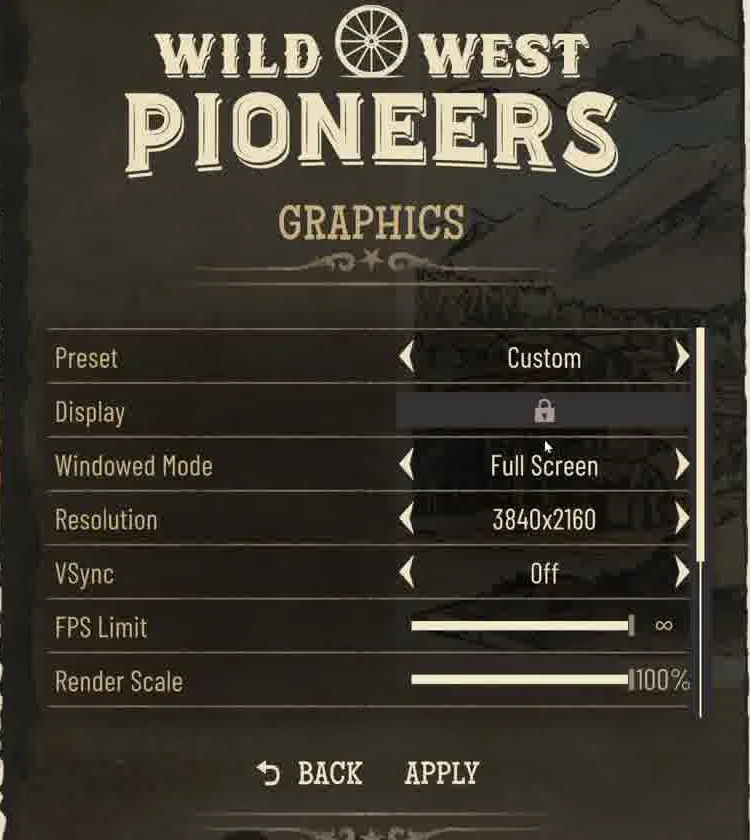
Turn VSync offOptions, then Graphics. VSync is the fifth line, between Resolution and FPS Limit. Frame from GameZine's video Wild West Pioneers Gameplay (PC), recorded in a pre-launch build (0.1.0 18818).The pinned answer on the Steam forum: “If the hotfix does not help you, please try disabling V-sync in the video settings.” (Said by the publisher in Pinned thread: Crashes despite the latest hotfix (Steam Community)) An official forum account gave the same advice to a player whose game crashed while still loading. (Posted in Comments under the stability hotfix announcement (Steam Community))
Let Steam verify the files Right-click the game in your Steam library, then Properties, Installed Files, Verify integrity. The publisher suggested it to a player whose save button stopped working after the hotfix: “Please let Steam verify the installation. This checks for missing and damaged gamefiles and replaces them if needed.” (Said by the publisher in Comments under the stability hotfix announcement (Steam Community))
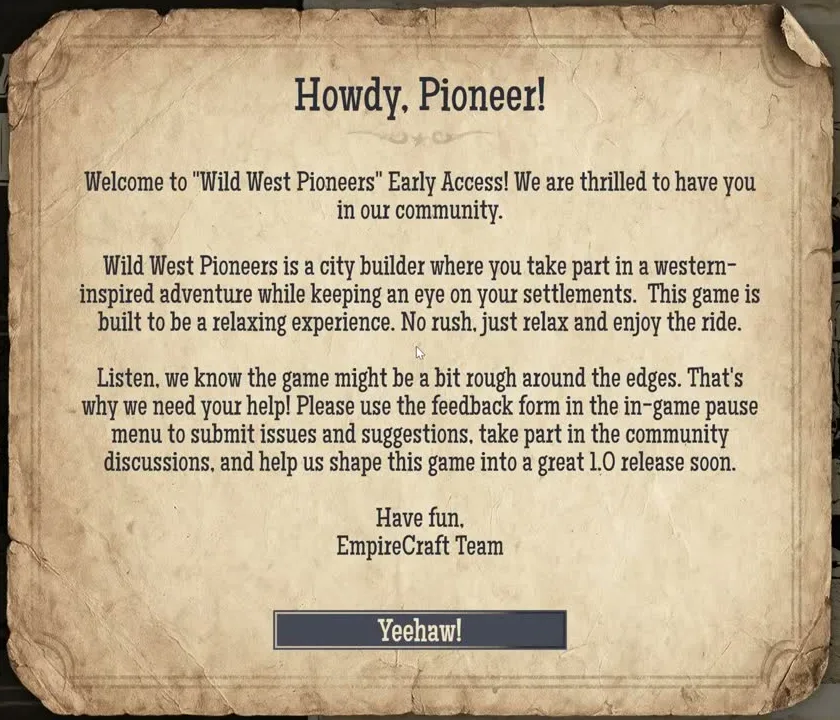
Report it from inside the game The welcome letter on the title screen asked for exactly this: “Please use the feedback form in the in-game pause menu to submit issues and suggestions”. (Signed by the EmpireCraft Team, shown in Wild West Pioneers Gameplay (PC) (GameZine, YouTube, launch-day footage)) An official forum account added that the team is chasing the random crashes: “We're aware of the random crashes and the team is working on a fix.” (Posted in Crashes thread with the log folder path (Steam Community)) The pinned thread also points to the publisher’s support site and Discord for crashes that keep coming back.
What the two hotfixes changed
Build
Came out
What it fixed
0.1.0 19409
Launch
The build Early Access opened with.
0.1.0 19478
The night of launch
Crashes tied to residents moving around, graphics crashes in long sessions, memory that kept growing after resolution changes or switching windows, a clock that could stop for good, and controls that stopped answering after a return to the main menu. (Listed in Steam announcement: Hotfix – Stability & Bug Fixes)
0.1.0 19496
The day after
A wider Barber Shop range, workshops that looked stopped, Food Store upgrades dropping connections, scouts stuck on their way home, missing Moonshine Boxes in the priest questline, and a freeze when the bandit cutscene started while you were away from the settlement. (Listed in Steam announcement: Hotfix – Production, Quest & Scout Fixes)
The first hotfix led with “Fixed several crashes related to residents movement.” and also lists “Fixed memory usage increasing over time, especially after changing resolution, opening certain UI elements, or switching between applications.” (Both in Steam announcement: Hotfix – Stability & Bug Fixes) If you alt-tab a lot, that second line is the one that applies to you. Every official post is also in the update log.
When the game looks frozen but is not crashing
What you see
Status
In the meantime
A workshop stops producing
Fixed in the second hotfix: “Workshops now wait until all required resources are in storage before collecting them and starting production.” It also stopped production halting when you change a recipe at night. (Listed in Steam announcement: Hotfix – Production, Quest & Scout Fixes)
Change recipes during the day, and check the warehouse actually holds a full cycle’s worth of input.
If it still happens, restarting the game is simpler than starting a second session from the menu.
For production that never reaches the warehouse, an official forum account asked players to use the in-game report form: “you can submit a bug report straight from the pause menu in the game.” (Posted in Crafted items are not added to inventory (Steam Community)) Quest objects that fail to appear are covered on the Moonshine Scandal page, where players have run into them.
The letter on the title screen in a pre-launch build, signed by the EmpireCraft Team, asking players to use the feedback form in the pause menu. Frame from GameZine's video Wild West Pioneers Gameplay (PC), recorded in a pre-launch build (0.1.0 18818).